For installers, integrators and MSPs
The WiFi design and every document the job needs
Predictive design in the browser that ends in the deliverables you actually hand over: a branded report for the client, a deck for the meeting, an AP schedule for the crew, a controller CSV and a bill of materials. One floor plan in, the whole package out.
Free plan for the first design · plans from $29.99/month with unlimited reports.
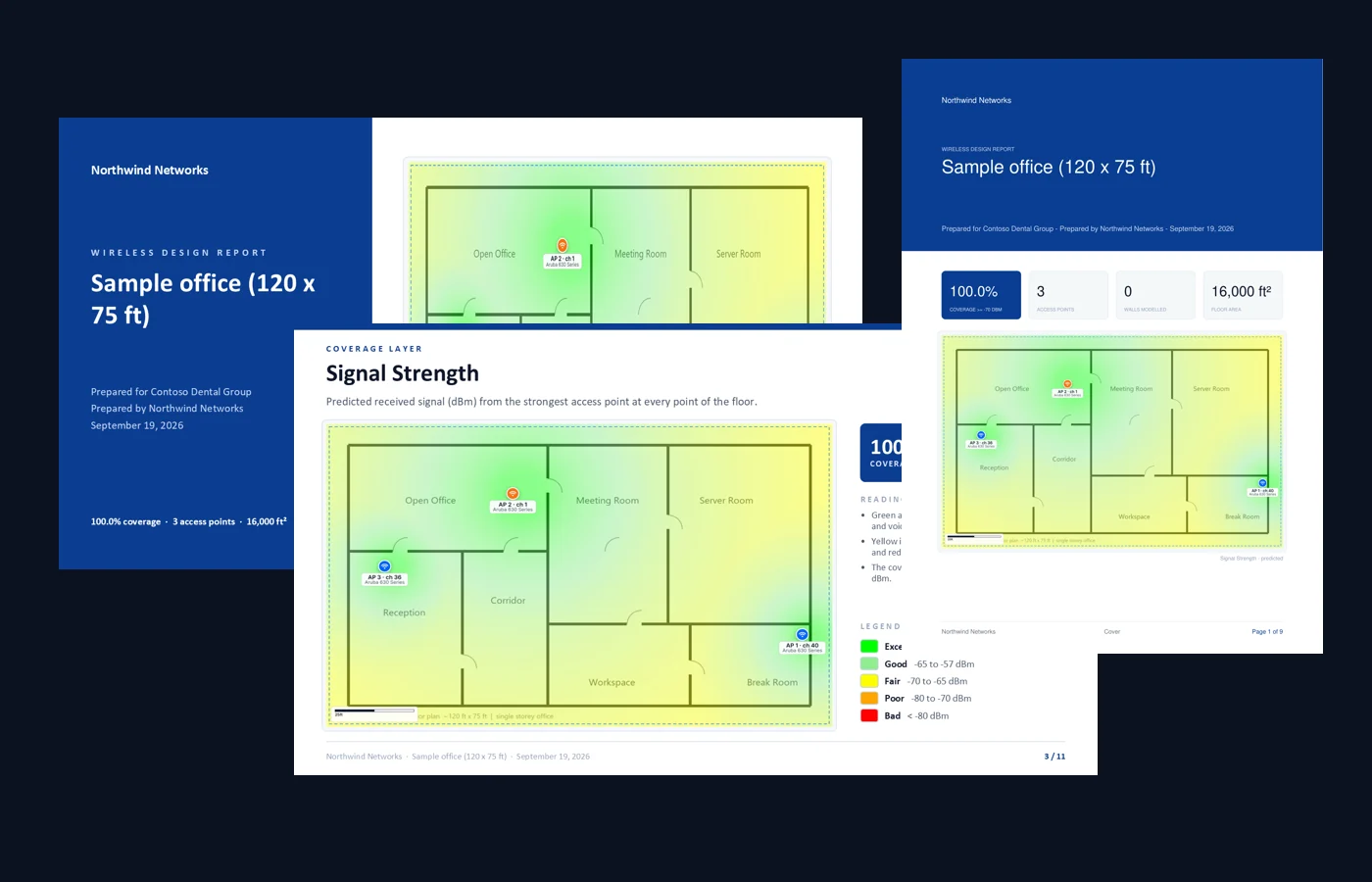
Six exports. Each one for a different person.
The client wants one, the installer wants another, and whoever configures the controller wants a third. They are not interchangeable, so the planner produces all of them from the same design.
Heatmap report (PDF)
ClientCover with your branding, KPI tiles, six coverage layers with legends and reading notes, AP schedule, recommendations.
PowerPoint deck
Client meetingThe same design as 11 slides: executive summary, one slide per layer, schedule, next steps. Talk over it; leave the PDF behind.
AP schedule & channel plan (CSV)
InstallerEvery access point with model, band, channel, transmit power and position — the mounting schedule and the configuration sheet in one file.
Controller channel CSV
Whoever configures the WLANCisco WLAN/Catalyst or Aruba IAP layout of the channel and power plan, ready for manual provisioning.
Bill of materials (CSV)
QuoteAccess points, switches with port and PoE load, cable runs with slack — from the wired-network panel.
Coverage summary (CSV)
Portfolio trackingFloor metrics as numbers for spreadsheets, site comparisons and rollout tracking.
Four steps from plan to package
- 1
Upload the plan
PNG, JPG, PDF, or a DXF/DWG that brings its walls and scale with it. Ekahau .esx projects import too.
- 2
Walls, then “Design it for me”
Auto-detect walls from the image (review before accepting), or draw them. The planner places the access points from your device catalog.
- 3
Check the layers
Signal, data rate, SNR, channel interference, user capacity and secondary coverage — with client-device and uplink views for voice sites.
- 4
Export the set
Report, deck, schedule, controller CSV, BOM. Re-export as often as the design changes.
Free plan
$0, no card
Two floor plans, three AI planning runs and a watermarked evaluation report to judge the output on a real job.
Per month
from $29.99
Unlimited reports and floor plans, all layers, controller CSV and BOM on Pro/MSP. For the crew that designs every week.
Your brand
included
Company name, client name, logo and colour on every cover and footer. The report reads as yours, not ours.
Try it on a real job this week
Upload the plan you are quoting, let the planner place the access points, and export the evaluation report free. Upgrade only once it earns its place in your proposal.
Create a free accountComing from Ekahau, NetSpot or Hamina? See the comparison.